COURSE DESCRIPTION
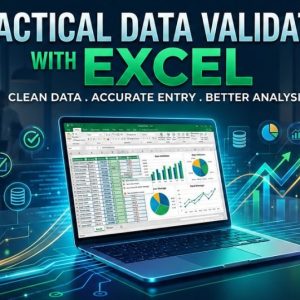
Excel is a very powerful data analysis tool and almost all big and small businesses use Excel in their day to day functioning. This is an introductory course in Data Analysis with Excel and is designed to give you a working knowledge of filtering, sorting and data validation with the aim of getting to use it for more advance topics in Data Analysis later.
The course is designed keeping in mind two kinds of learners – those who have very little functional knowledge of Excel and those who use Excel regularly, but at a peripheral level, and wish to enhance their skills in data analysis. Participants in this course can learn at your own pace and complete the course within the stipulated time.
LEARNING OUTCOMES
By the time you complete this course, you should be able to:
- create data validation rules
- Create a dependent validation drop-down list
- sort data record of an Excel table
- filter data records of an Excel table
COURSE REQUIREMENT
In order to fully benefit from this course, you should have
- access to a personal computer or a similar device with internet connectivity.
- knowledge and skills in operating a personal computer or a similar device.
- light experience in the use of Microsoft Excel, especially areas that cover cells, worksheets, creating workbooks and updating a file in Excel.
- strong desire to work quicker, smarter and safer in data entry.
CERTIFICATION
The Call Info does not award free certificates. A verified certificate is awarded only to learners who have successfully passed in assessment of registered paid certificate tracks. Your performance in quizzes and assignments at the of a course qualifies you to apply for a verified certificate of participation in the course.
Course Features
- Lectures 5
- Quiz 1
- Duration 12 hours
- Skill level All levels
- Students 29
- Assessments Yes
- 5 Sections
- 5 Lessons
- 12 Hours
- Module 1 - Data ValidationData validation is a form of data cleansing that enables you to check the accuracy and quality of source data before using, importing or otherwise processing it. Different types of validation can be performed depending on destination constraints or objectives. The focus of this lesson is to ensure that you can use data validation to restrict the type of data or values you enter in a cell during data entry, and to ensure the integrity of the data file.3
- Module 2 - Sorting and FilteringSort and Filter tools are some of the most commonly used Excel features to help you analyze data. Sort feature makes it easy for you to rearrange the records or even the fields in your table of data or data list. You use filter to focus on a specific set of your data where you can then copy, format, or print it, without having to do any sorting. This lesson discusses how you can use sort and filter features, without any prior skills in Excel formula and functions, to manipulate records of any complex data file.2
- 2.1 Sorting Records of an Excl Table0
- 2.2 Filtering Records of an Excel Table0
- Quiz1

Requirements
- Access to a personal computer or similar devices with internet connectivity.
- Light skills in using Excel to create a workbook.
- Previous skills in Data Entry Techniques with Excel - 1 -
- Strong desire to acquire professional skills in data entry
Features
- Creating a data form with controls
- Doing data validation
- Sorting and filtering of records